Find a job as a nanny
Parents publish listings, you apply for the offers you choose - the parent calls the candidates and chooses a nanny to work with.
Nanny Finder is where parents publish listings and nannies like you apply for the ones that fit their daily schedule and experience. You do not have to look for jobs across groups and portals: notifications arrive when a new offer appears in your area.
You build your profile once, add references from families and grow your reputation in the app. The more complete your profile and the better your reviews, the greater your chance of attractive job offers.
How does it work in the app?
You set up your profile, read listings from parents and apply for the offers that suit you. The parent calls the nannies who have applied and chooses one to work with.
Setting up your profile
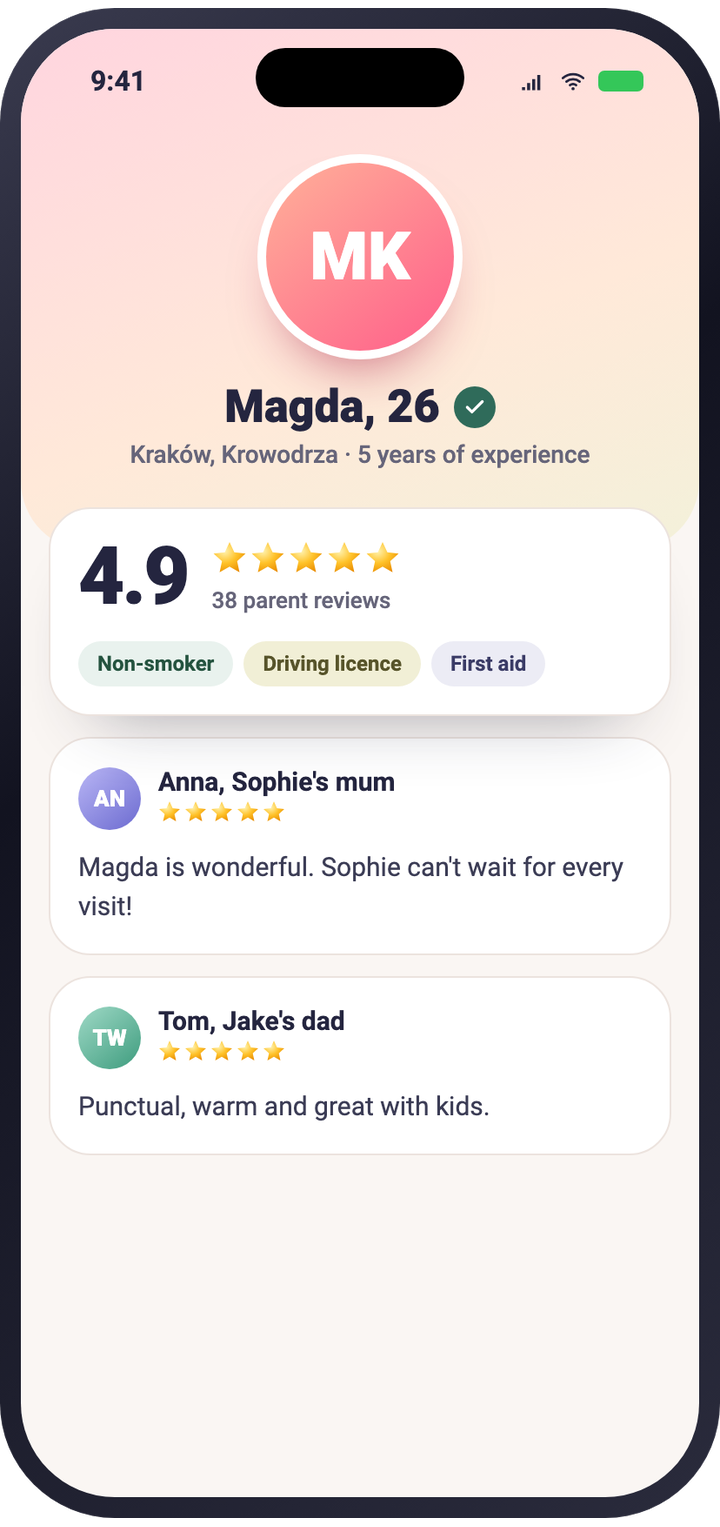
After registering, you fill in your details step by step. Parents then see your profile with your name, location and the information you choose to share, along with reviews from other families.
Job listings from parents
Parents publish listings describing their needs, the location and the start date. Before you apply, you can read the whole listing - who the children are, what the duties involve and what the family expects from a nanny.
You can see details such as the children's age and gender, as well as expectations about meals, care in the parents' home and other tasks. This tells you straight away whether a job fits your experience and daily schedule.
Applying for work
In the jobs tab you browse offers in your area. For each one you can see the parent's billing model (hourly or for the whole job), the distance and a summary of the duties - from school pickups to cooking or cleaning.
When a listing fits your schedule, you apply for that offer. You only decide on the jobs that really suit you - without replying in dozens of places.
Starting work with a family
The parent sees the nannies who have applied to their listing and can call them using the Call button in the app. After these conversations, they choose one person to work with. When the care ends, parents can leave a reference - you build credibility for future offers.
How do we look after nannies?
We keep you safe
You decide what information you share in your profile. We do not display your phone number or other details that would make you easy to identify outside the app. You choose the listings that interest you. The parent places the call - using the Call button in the app, to nannies who have applied.
We help you find your dream job
Before making contact, you know the parents' requirements and the billing method in the listing. When you apply, you propose your rate - hourly or for the whole job - in line with the parent's model. You do not waste time on conversations that do not match your expectations from the start.
We help you collect references
In the app you can collect references from families and build your credibility. This makes it easier to get further, better job offers.
How to start working
Just 4 steps between you and your next job
Create an account
Complete your profile
Apply for the jobs you like
A parent chooses you to work with
Work and paperwork in one place
The app helps you find jobs close to home and handle the paperwork:
Jobs in your area
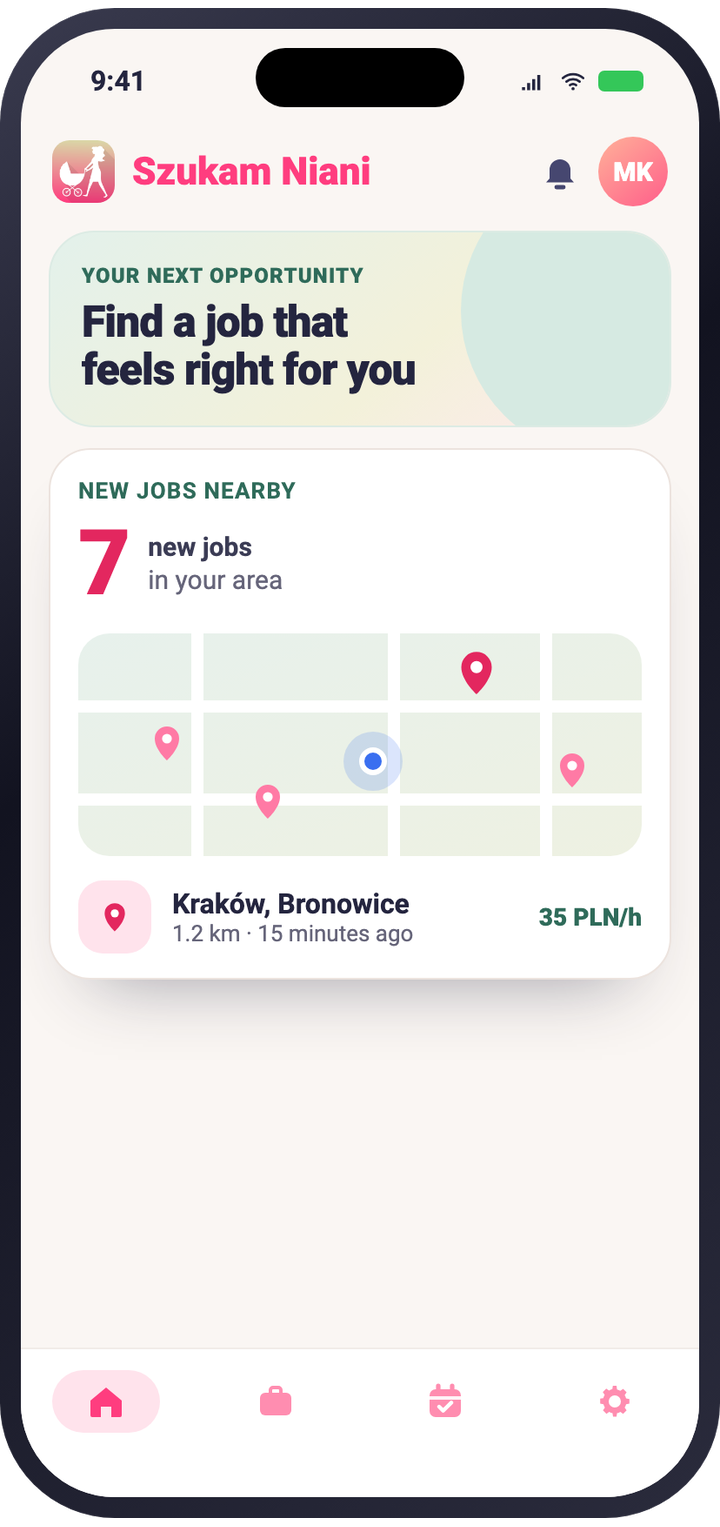
You set a radius from 1 to 50 km and see new jobs on a map, with their distance from your address. You get a notification when a new listing appears nearby.
An agreement when you need one
When you apply for continuous care, you mark whether you need an activation agreement (umowa uaktywniająca) and how many paid days off a year you want. The parent sees this straight away, and the app prepares the agreement and the ZUS documents.
ZUS and the tax year
A short wizard in Settings helps you work out which ZUS contributions apply to you. In Finance you see your payouts for each month, mark the tax advances you have paid and, when the year ends, download a PIT-36 summary as a PDF.
The app in your language
When you first open the app, you choose its language: Polish, English, German, French, Italian or Portuguese.
Benefits for nannies
Job notifications
When a parent in your area publishes a listing, you can see the details straight away and decide whether to apply.
Work that suits you
You choose jobs that match your availability - permanent, afternoons or occasional. You do not have to accept every offer.
Clear terms
Each time you apply, you propose a rate matched to that listing and its requirements, and the parent sees your proposal before you talk.
A growing profile
References and ratings from parents help you stand out from other nannies and earn the trust of new families.
Job calendar
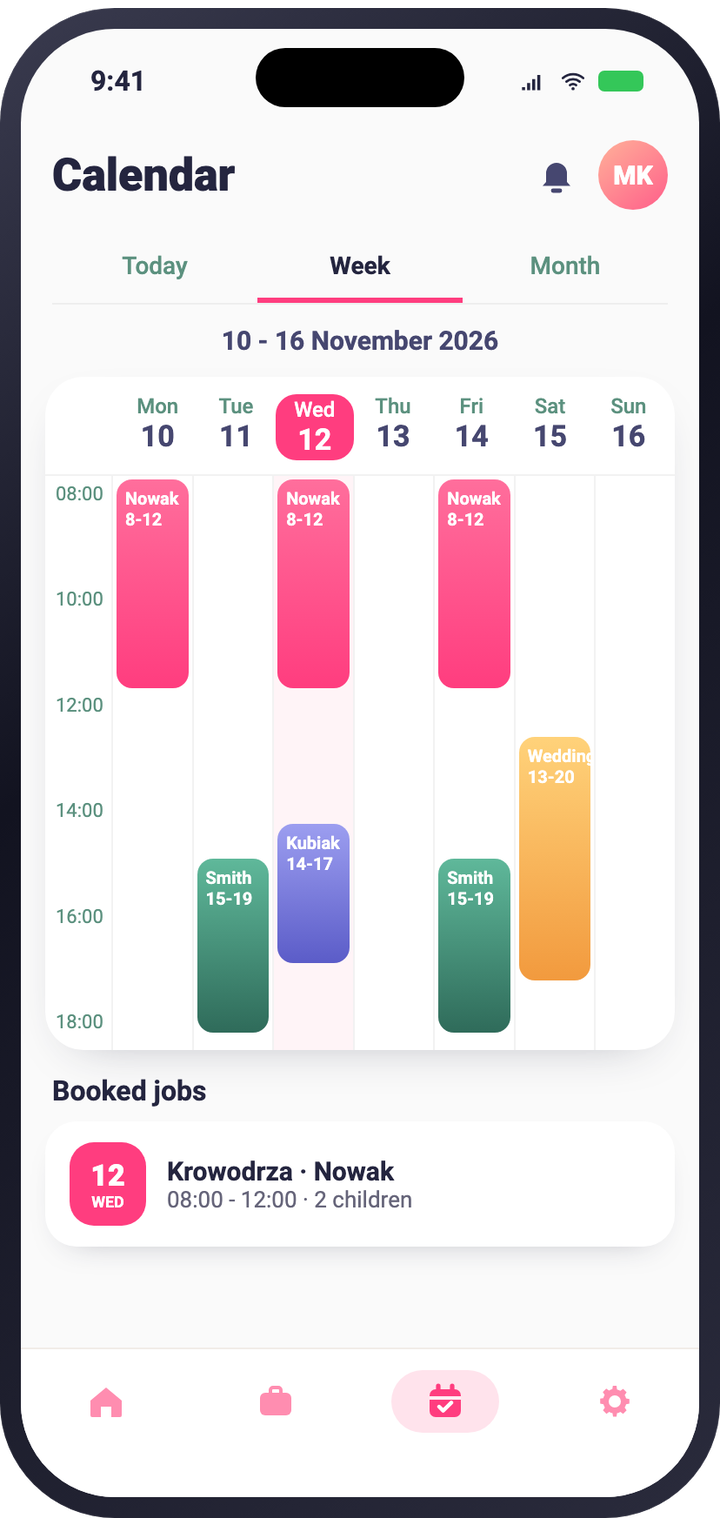
The Calendar tab shows your availability and booked jobs by day, week or month. The list of new listings shows offers that fit your calendar.
Settlement module
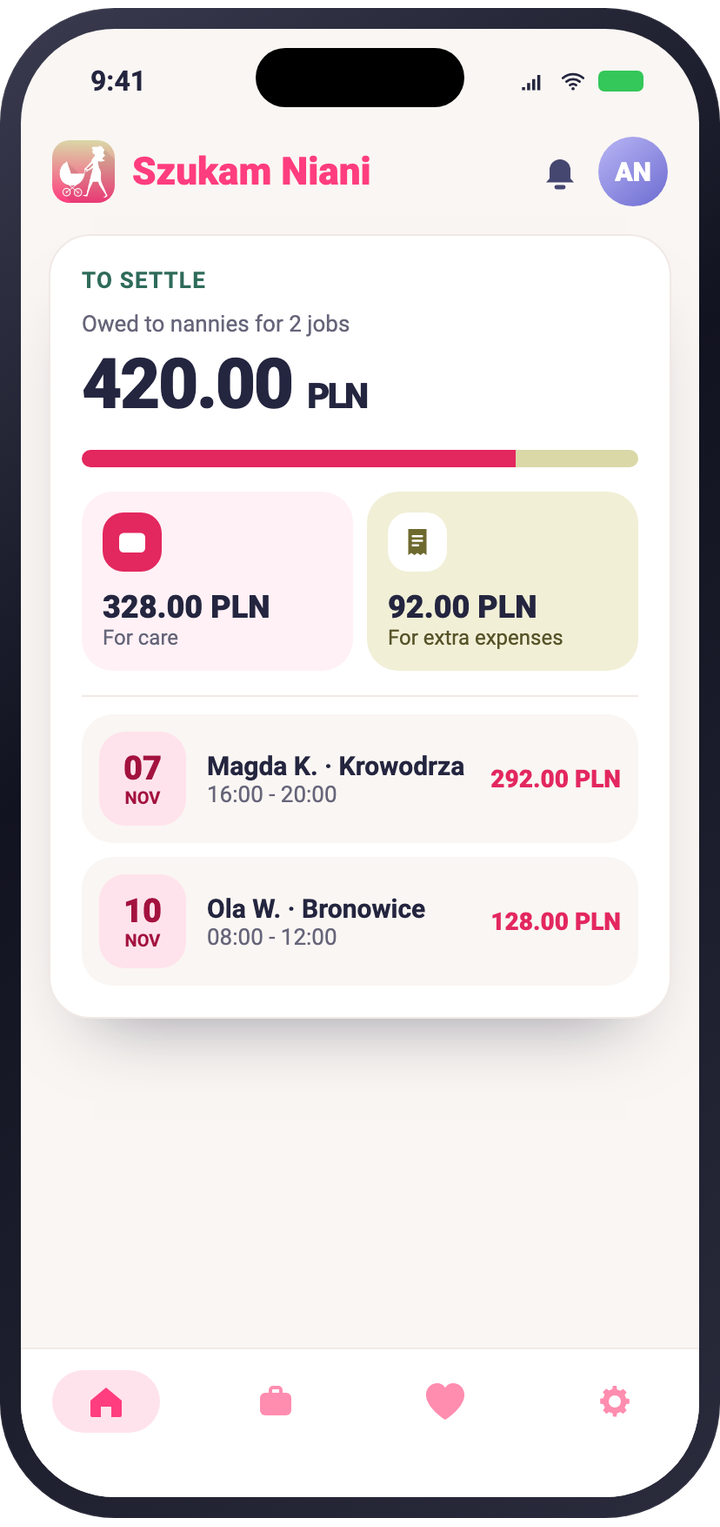
For each job you record expenses, correct care hours and add payments from the parent. The app adds up the amount due, and the home screen shows what is awaiting settlement.
Reviews after care
Once the care is settled, the parent can give you a star rating and a review. Good reviews build your credibility for future applications.
Frequently asked questions
Is the app free for nannies?
Yes. Creating a profile, browsing listings from parents, applying and receiving notifications about new offers in your area involve no fees for using the app.
How do I build a good nanny profile?
After registering, you fill in your details step by step: experience, availability and your location. The more complete and accurate your profile, the easier it is for parents to judge whether you are a good fit for their listing.
How do I state my rate when applying to a listing?
You do not set a rate in your profile. When you apply to a parent's listing, you propose a rate matched to that listing and its requirements - it can be different each time.
How do notifications about new listings work?
When a parent publishes a listing in your area, you can see the details in the app straight away. This lets you respond to offers that fit your daily schedule instead of searching through groups and forums.
Who makes the call after I apply?
The parent sees the list of nannies who have applied to their listing and calls the people they select using the Call button in the app. You decide which offers to apply for - you do not have to call families first.
Is my phone number publicly visible?
We do not share your phone number or other details that would make you easy to identify outside the app in your public profile. Contact takes place through the Call button when a parent chooses you for a conversation.
How do references and reviews work?
After a job ends, parents can leave a reference. References are collected in your profile and help new families judge your experience - which makes it easier to get further, better jobs.
How do I get more jobs as a nanny?
Complete your profile, apply only for offers that really suit you and look after your references after each job. Regular activity and reliable reviews increase the chance that a parent will choose you.
How does the calendar in the app work?
The Calendar tab shows your availability and booked jobs by day, week or month. Once you confirm your participation, the job is added to your calendar.
How do I settle care in the app?
Once you confirm your participation, the job details show the Expenses and Settlement tabs. There you add expenses and payments received from the parent, and in the settlement calendar you can correct care hours or mark a day off. The app adds up the amount due.
Join the nannies on Nanny Finder
Download the app, create a nanny profile and apply to listings in your area. The more complete your profile, the greater the chance that a parent will choose you.