Find a nanny
Post a listing, wait for applications from nannies, call the candidates you like and choose a nanny to work with.
Nanny Finder is an app designed for parents who want to find a nanny for their child quickly and safely. Instead of searching through listings online, you publish your needs in one place. Once nannies apply, you call the people you have selected using the Call button in the app and decide who to work with.
Each nanny proposes a rate matched to your listing, so applications are easy to compare. Profiles are matched to your area, which shortens the path from listing to conversation.
What can you do in the app?
With Nanny Finder, as a parent you are in full control of your search:
- Post a listing describing your needs and schedule
- Browse the nannies who have applied to your listing
- Call selected candidates using the Call button in the app
- Leave reviews after the care ends
- Settle care and expenses in one place
- Receive notifications about new applications from nannies
Benefits for parents
Save time
One listing reaches many nannies in your area. There is no need to call dozens of places - you wait for applications, then call the people you have selected through the app.
Clear profiles
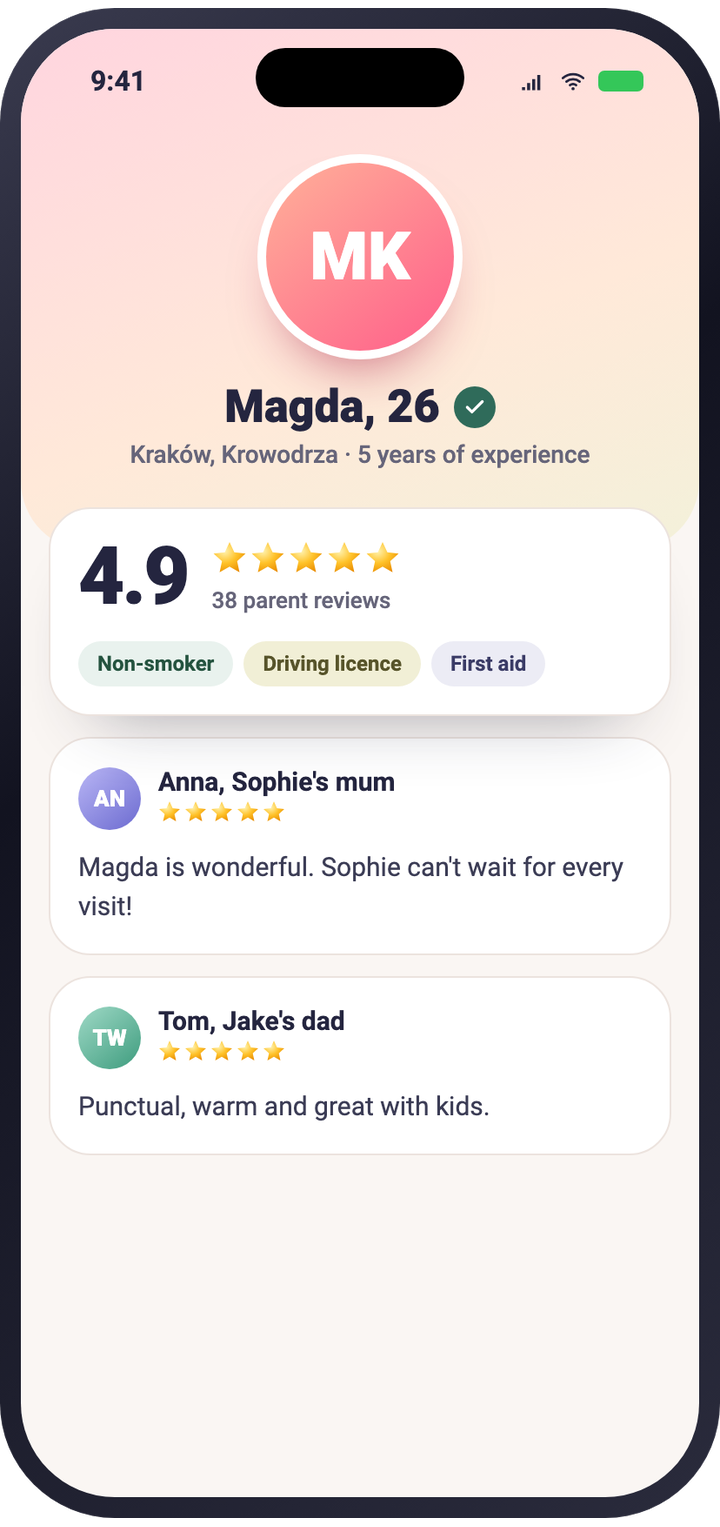
Before making contact, you can see the nanny's experience and availability, as well as the rate they propose when applying to your listing. You know who you are talking to before you exchange phone numbers.
A safer choice
Ratings and reviews from other parents help you judge a nanny's credibility. You build trust on real experience, not just a listing.
Flexibility
Looking for a permanent nanny, afternoon care or occasional help? You describe your needs in the listing, and the app connects you with people ready for that kind of arrangement.
How to find a nanny
Just 4 steps between you and the right nanny
Download the app
Post a listing
Nannies apply
Call them and choose your nanny
Care and paperwork in one place
Nanny Finder helps you not only find a nanny, but also stay in touch day to day and handle the paperwork:
Chat during care
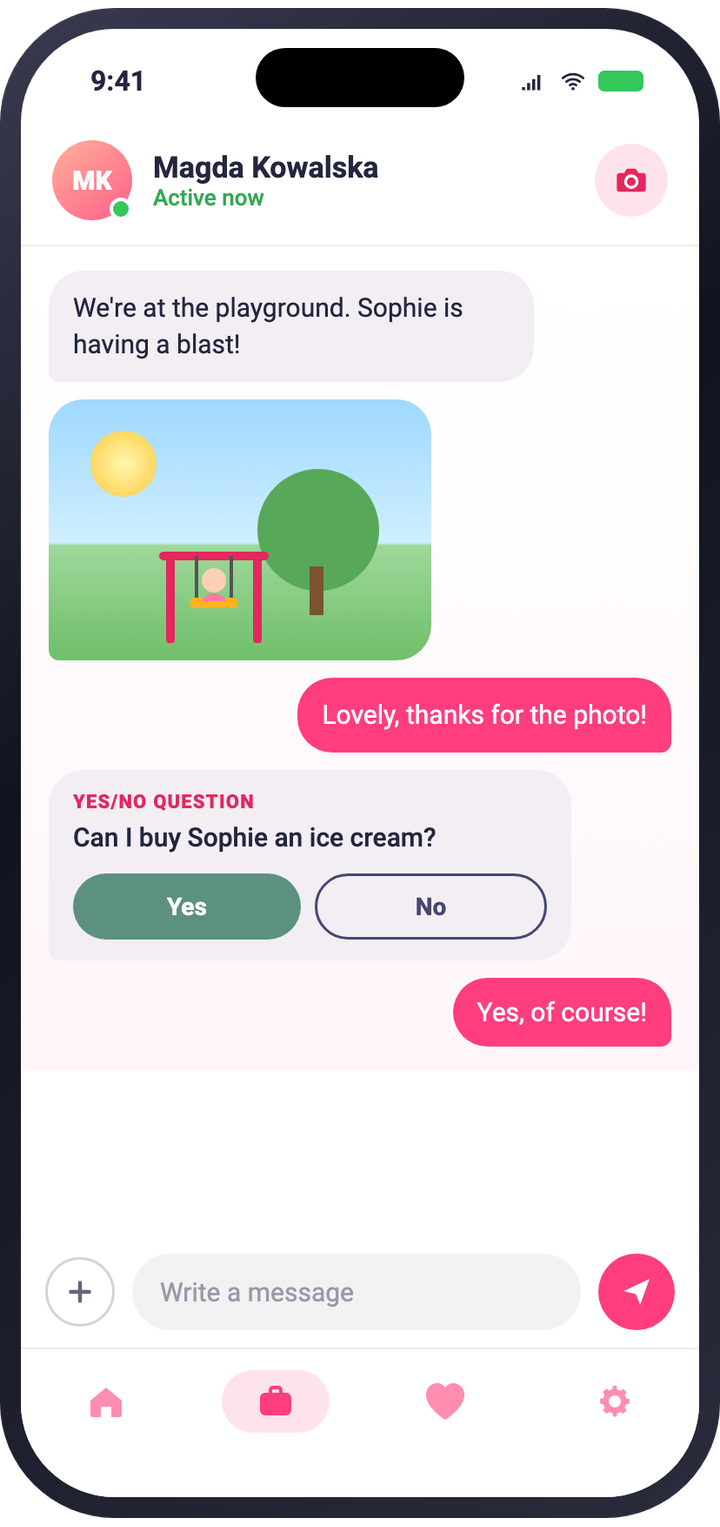
Your nanny can send you a photo or video, for example from the playground, and ask a quick yes/no question that you answer with one tap. You can also call straight from the chat.
A listing in a few minutes
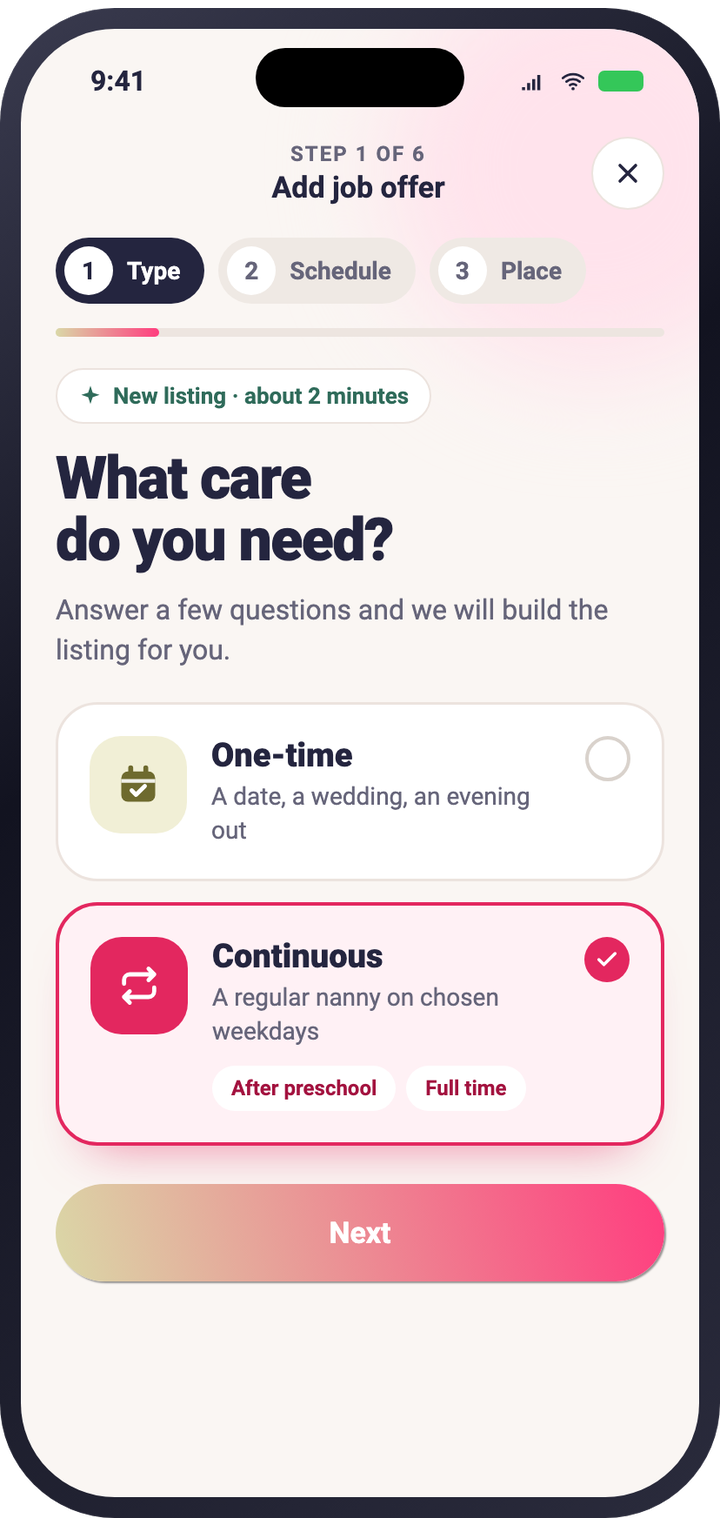
The wizard guides you step by step. You choose one-time care, for example for a date or a wedding, or continuous care on chosen weekdays.
Activation agreement
For continuous care in Poland, your nanny can ask for an activation agreement (umowa uaktywniająca). The app fills in the agreement and the ZUS forms to register and deregister the nanny. You both sign them on paper and send them to ZUS by post or take them to a ZUS office.
Finances in one place
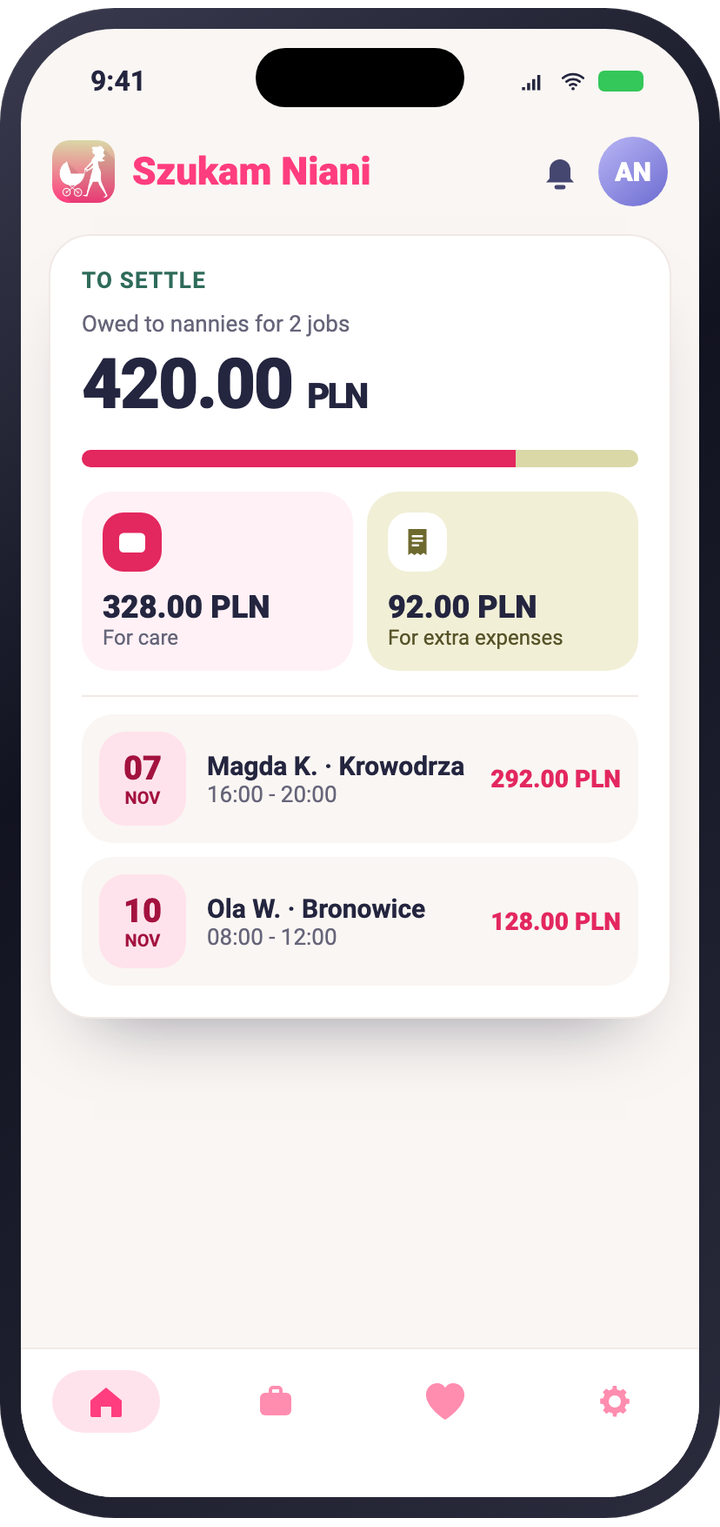
The Finance tab shows a summary of care and a breakdown of each month with payouts to the nanny. With an agreement, it also reminds you when to file your ZUS settlement documents.
After you choose a nanny
The app also helps once care is under way:
Settlement module
For each job you can see the amount due, expenses added by the nanny and recorded payments. You know straight away what has been settled and what is left to pay.
Care calendar
The settlement calendar shows the scheduled days and hours of care, along with any corrections entered by the nanny.
Reviews after care
Once the care is settled, you can give the nanny a star rating and write a review. This helps other parents, and you can edit your review later.
Nanny's location during care
During accepted care, you can check the nanny's latest GPS location on a map. The position updates every 5 minutes, and measurements stop when the care ends.
Frequently asked questions
How much will it cost me?
Posting listings on Nanny Finder is free for parents. The rules for contacting nannies and the other conditions for using the app are set out in the Terms of Service.
How does a childcare listing work?
You describe your needs: the age of the children, dates, location and what you expect from a nanny. You also choose the billing model - hourly or for the whole job. The listing goes to nannies in your area. When someone applies and proposes a rate for that arrangement, you will see them on the list of candidates for that listing.
How do nannies apply?
Nannies browse listings in the app and apply for the offers they choose. You do not have to look for phone numbers - you decide who to talk to once applications come in.
Who makes the call - the parent or the nanny?
Once nannies have applied, you call the candidates you have selected using the Call button in the app. The nanny does not have to look for your number first - you start the contact when it suits you.
How do we ensure safety and credibility?
Profiles show experience, expectations and - after a job has ended - reviews from other parents.
In which regions does the app work?
Nanny Finder connects parents with nannies in selected cities and surrounding areas in Poland. When creating a listing you give the location, and the app shows candidates matched to your area.
Do I have to create a parent account?
Yes. A parent account lets you post a listing, receive notifications about new applications from nannies and use the Call button. You register in the mobile app.
How is Nanny Finder different from agencies and classifieds portals?
You do not pay an agency commission for brokering in the way you would at a childcare agency. Instead of hundreds of listings without context, you publish one job and interested nannies apply on their own. You have profiles, ratings and contact in one app - without conversations scattered across groups and listings.
How does settling care work?
Once the nanny confirms participation in the care, the listing details show the Expenses and Settlement tabs. There you will find the amount due, expenses to refund, recorded payments and a calendar with the care hours.
Can I check where the nanny is during care?
During accepted care, the app can show you the nanny's latest GPS location on a map, updated every 5 minutes. The location is not available outside the care period.
How do I leave a review for a nanny?
After the care is settled, the app will ask you for a star rating and a review. You can also do this later in the cooperation details, and you can edit a review you have left.
Start today
Download the app, create a parent account and post your first listing - with no fees or commitment. The more precisely you describe your expectations, the more relevant applications you will receive from nannies in your area.